 Puracam
Scan the real world in 3D
3D scans & floor plans, on device
Puracam turns an iPhone or iPad with LiDAR into a 3D scanner and floor plan tool. Walk around an object or sweep a room, and get a textured model — or a dimensioned 2D plan — you can open, measure and export, with the reconstruction running on the device itself.
Download on the App Store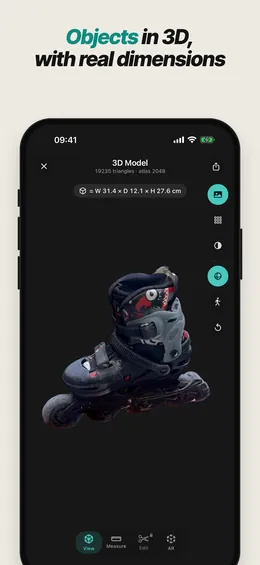
New in version 1.3.0
See how to scan before you start
-
How-to videos
A short video for each mode — Space, Object and Floor Plan — shows exactly how to move. It plays before your first scan and stays on Home under Learn and in the Guide. Watch them here.
-
Leave a scan your way
Closing a Space scan in progress now lets you save it, restart it or discard it. A “Hold steady” prompt covers the moment between tapping Scan and the first captured frame.
-
Smoother objects and plans
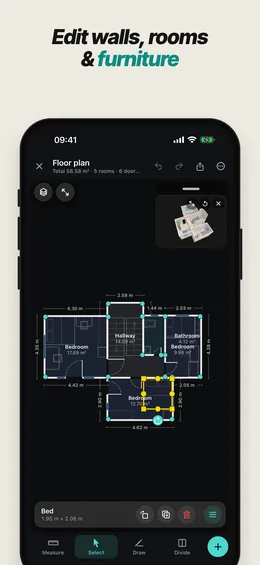
Object mode prompts you step by step, and turning the object over is more reliable. On floor plans, tap furniture in the 3D view to select it, and type lengths with their unit — 12'6" or 3.2 m.
Everything else
Scan
- Three modes, one camera. Object, Space and Floor Plan side by side — switch with a swipe.
- One shutter button. Start, pause to reposition, resume and tap Done, like the Camera app.
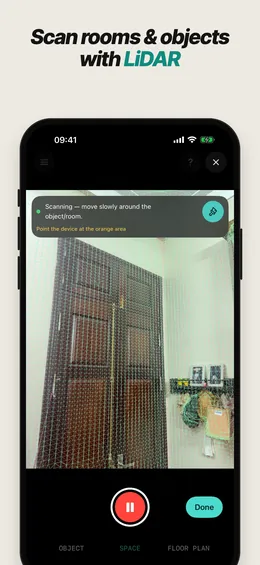
- See what you have covered. Live guidance paints what has been captured, so you find thin spots while still in the room.
- How-to videos, Guide & Tips for every mode, one tap away — watch the videos.
- A guided start. A short first-launch tour helps you pick the right mode, and the scanner opens in it.
- Tune the result. Preview the raw scan, then pick Balanced or Detailed — or set the triangle budget yourself.
Objects
- Object Capture. Circle an object once — flip it for the underside if you like — for a high-detail 3D model.
- Real dimensions. Width, depth and height shown right on the model.
- Clean up in a few taps. Crop box, lasso, remove the base and floating bits, or Auto Clean.
- 10 free object scans with full quality and every export format.
Floor plans
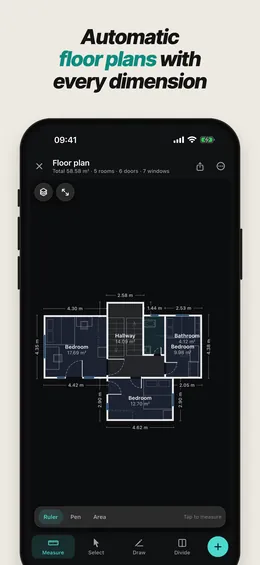
- Automatic drawing. Walls, doors, windows and furniture detected as you walk, with dimensions, opening widths and room areas.
- Full editor. Drag walls and corners, draw walls, add doors and windows, split rooms, mark columns, lock lengths and right angles.
- Furnish it. More than 100 pieces that snap against walls — a symbol on the drawing, a 3D model in the room view. Wall-mounted pieces sit at their real height, with a warning when one would cover a door or window.
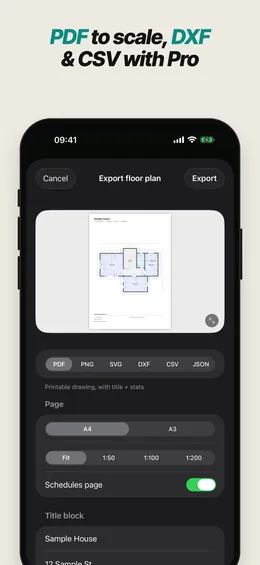
- Drawings ready for work. PDF to true scale with schedules, PNG, SVG, DXF for CAD with layers, CSV and JSON.
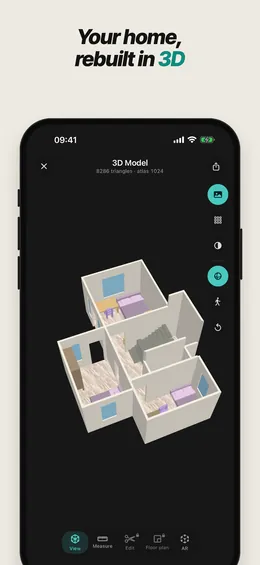
- Rooms in 3D with wood floors, furniture and soft shadows.
Review & export
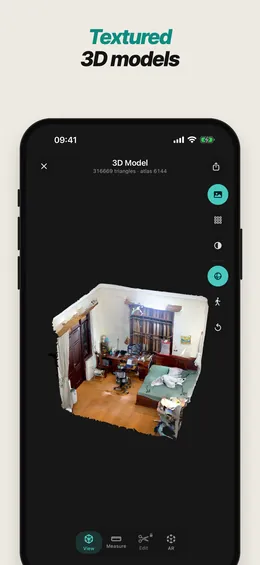
- Real texture. Camera frames baked into a high-resolution atlas, not painted vertices.
- Measure on the model. Distances, paths and areas.
- 360° video of any scan, saved to Photos.
- Export anywhere. OBJ free; Pro adds USDZ, GLB, glTF, FBX, DAE, STL, PLY and DXF.
- A tidy library. Filter by kind, organise into folders, browse scans on a map.
Processed on your iPhone or iPad — scans are not uploaded, and there is no account to create. On iPad: a sidebar and full landscape support.
- Requires
- iPhone 12 Pro or later Pro models, or iPad Pro (2020 or later) — a LiDAR sensor is needed for scanning and floor plans.
- iOS
- iOS 17 or later.
- 3D export
- OBJ (free). USDZ, GLB, glTF, FBX, DAE, STL, PLY, DXF (Pro).
- Floor plans
- Scanning, the 3D room view, the 2D drawing and the editor are free, and so is export as PDF or PNG (with a small watermark). SVG, DXF, CSV and JSON export are part of Pro.
- Model editing
- The editing tools are free to try; saving your edits is part of Pro.
- Object scans
- 10 free object scans, full quality and every export format included. Scans made with a free credit keep full access for good.
- 360° video
- Free with a watermark; Pro removes it.
- Price
- Free to download. Puracam Pro is an optional subscription — Monthly, or Yearly with a 7-day free trial.
- Account
- None. Puracam does not have sign-in.